Inside the toolkit
See it in practice
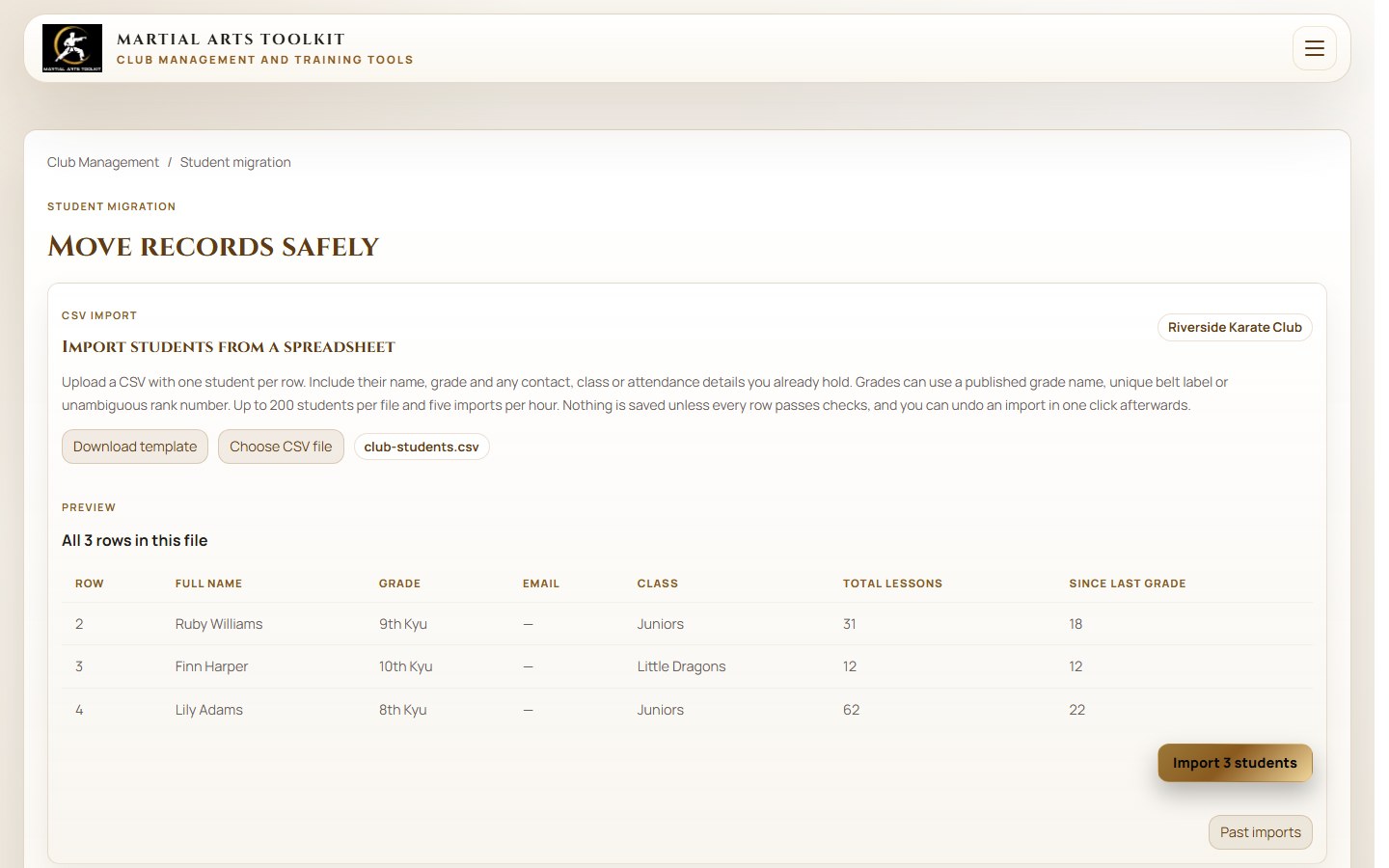
The product's student-import workflow gives the move a defined place and a clear review step.
A practical approach
Make it part of the way your club works
Agree the source and the scope
Tell us what you use now and what student information you can export. Agree the fields to transfer, the club and location they belong to, and any records that need attention. Keep the original export as a reference.
Prepare the records while you keep teaching
We can organise the student import while the club continues using its current process. Agree how names, contact details, grades and any supported history should map. Identify duplicates and inconsistent dates before treating the import as complete.
Check together, then choose the handover
Compare the student count and a representative sample of records with the source. Check family relationships, grades and any agreed historical totals. Choose when staff begin using the new workspace and reconcile any changes made during preparation.
Worked example
A practical handover checklist
The aim is to move the students accurately while keeping your normal classes running. Other data and existing payment arrangements should be discussed separately rather than assumed to transfer automatically.
| Before import | After import | At handover |
|---|---|---|
| Agree which students are included | Compare the imported count | Check additions made during the move |
| Identify duplicate or incomplete rows | Review corrected and flagged records | Confirm who owns remaining corrections |
| Map grades and agreed history | Sample-check progression information | Confirm the next grading review uses the right data |
| List staff and family access needs | Check the account-linking approach | Share the club portal and staff instructions |
Keep the context
Keep the changeover separate from your teaching
You do not need to stop classes while student records are prepared. Agree a clear point at which the new workspace becomes the source for future updates, and make sure both sides know how to handle edits made before that point.
Student imports do not automatically move payment mandates, recreate every historical transaction or transfer passwords from another service. Discuss those requirements at the start so the plan covers what your club actually needs. For student import help, contact our team through the support link below.
Before you start
Questions club owners ask
Will we have to retype all our students?
No. We can import all of your students for you. We will agree the source information and check the mapping and result with you.
Do we have to close the club or stop taking registers?
No. There is no downtime to you at all. Keep your current process running while the import is prepared and agree the handover when the records are ready.
Will everything from another system transfer automatically?
Student records are the focus of this offer. Agree the fields and any historical data first; payments, documents and other requirements need their own scope and checks.
Try it with your own club
Less time on administration.
More time to teach.
Create your club free today and explore the workflow. Compare plans as your club grows.