Inside the toolkit
See it in practice
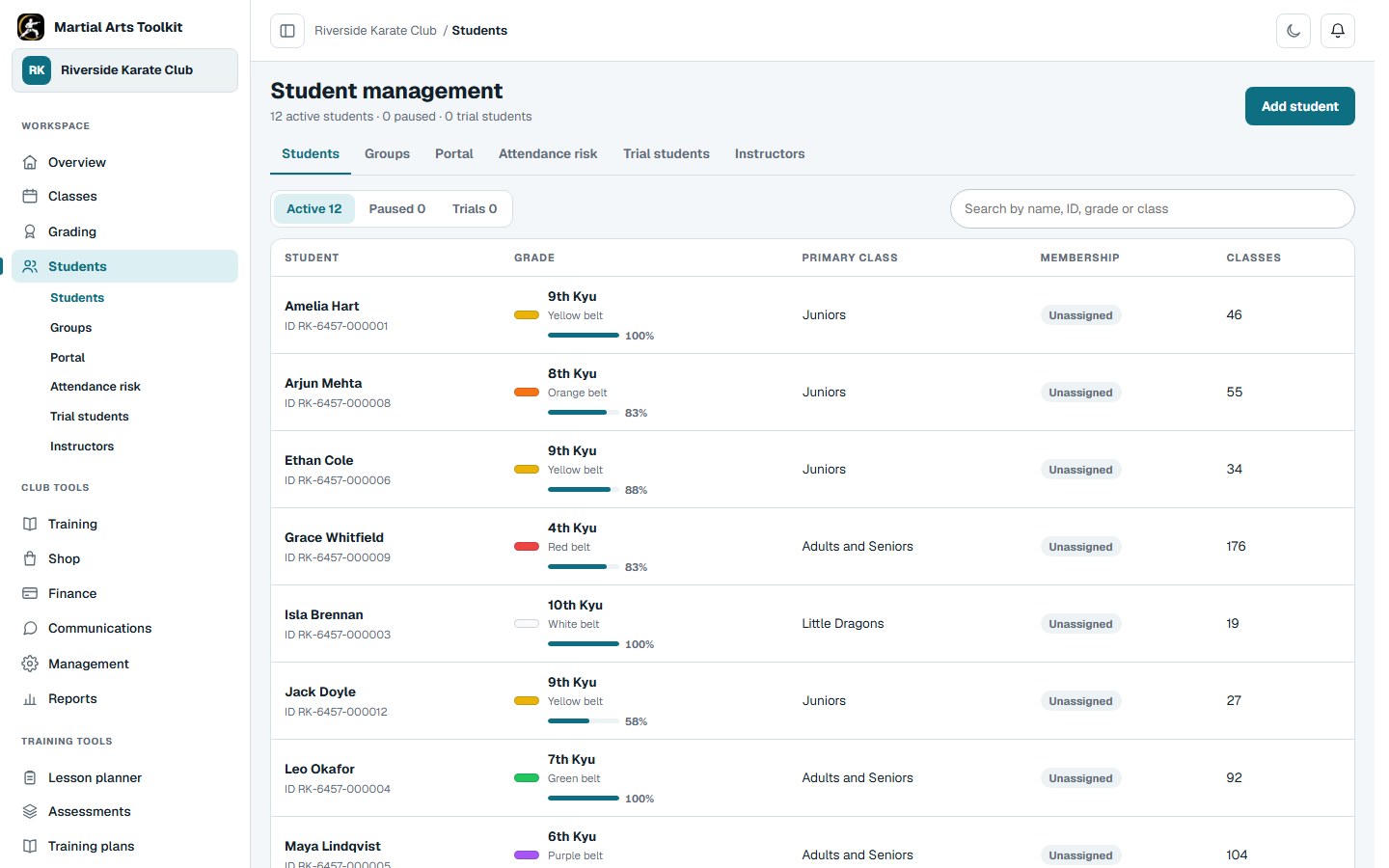
The student directory brings the club's records into one searchable workspace.
A practical approach
Make it part of the way your club works
Create or import the student once
Search before adding a record, particularly where family members share a surname or a student uses a preferred name. When importing, review potential duplicates and confirm how the source data maps to the club record.
Keep everyday information connected
Update the student's classes, membership and progress in the club workspace. Use the relevant area of the profile rather than copying sensitive information into general notes or class messages.
Link the right accounts
A student record and a sign-in account serve different purposes. Match account-access requests to the existing record and confirm the relationship, so a parent or guardian sees the intended student rather than a duplicate profile.
Worked example
One family does not mean one student record
Consider two siblings who train in different classes. Each needs their own attendance and progression history, while a parent may need access to both.
| Record | Keep here | Avoid |
|---|---|---|
| First student | Their own grade, classes and attendance | Combining both children's progress. |
| Second student | Their own training and membership information | Reusing the sibling's record. |
| Parent account | Approved links to the appropriate students | Creating a new student just to give the parent a login. |
| Staff access | Permissions suitable for each person's role | Giving every instructor every administrative permission. |
The connected workflow
Keep family contacts connected
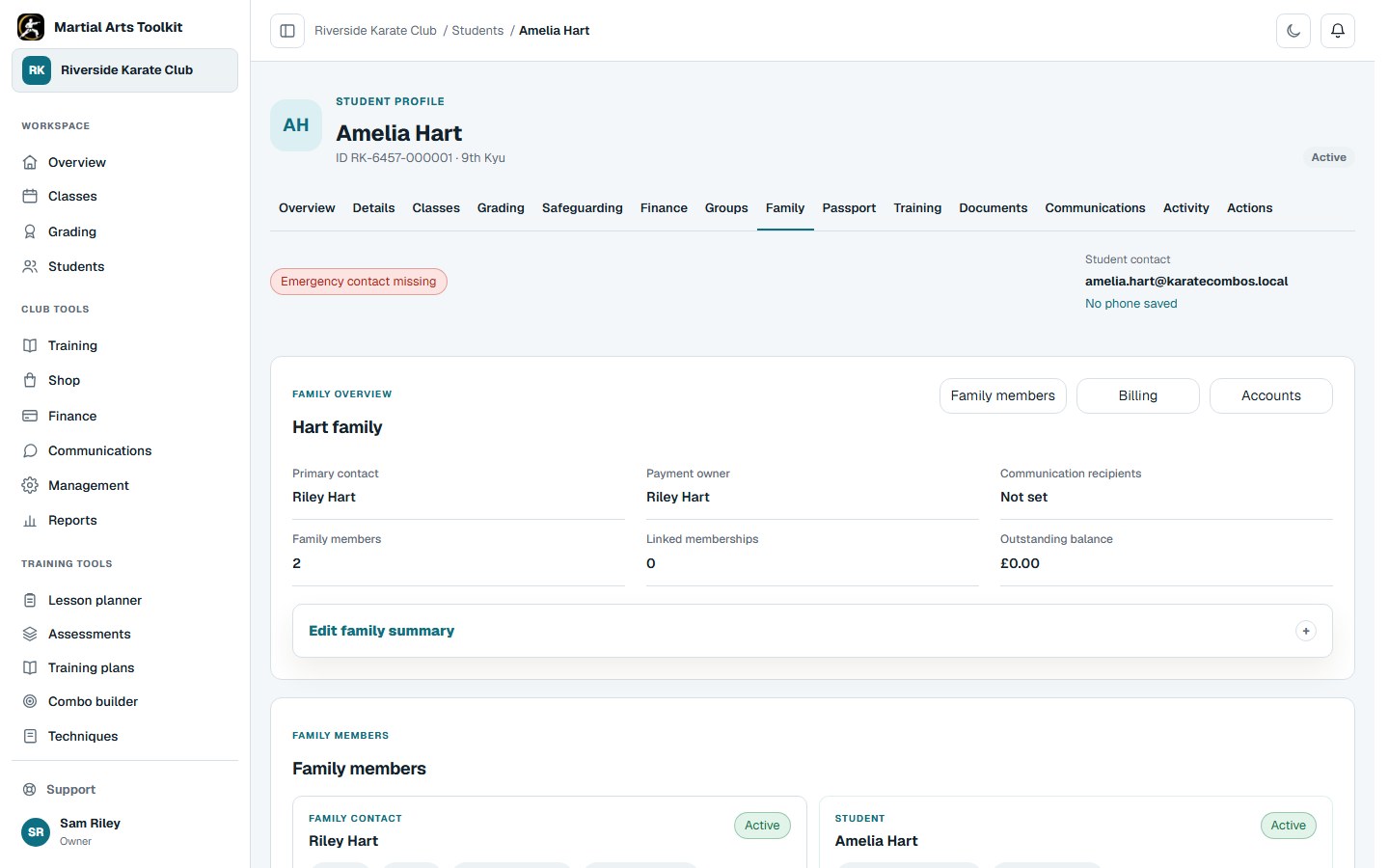
Open the student's family group to find the people connected to their training.
Keep the context
Make the record useful at the point of need
An instructor preparing a class needs a different view from someone correcting a membership or updating emergency details. Keep fields accurate and use role-appropriate access so the record supports the task without exposing unnecessary information.
Choose a regular housekeeping routine: review duplicate records, departed students and missing essential information. A central system helps most when the club agrees who keeps each part current.
Before you start
Questions club owners ask
Can parents access more than one child?
A family account can be linked to the appropriate student records. Club staff approve the relationship and access rather than relying on a surname match.
Should I create a new student when someone cannot sign in?
Check their invitation or account-link request first. The login may simply need linking to the record that already exists.
Can we bring our existing student list?
Yes. The migration workflow supports moving student records, and we can help import all of your students without downtime for your club.
Try it with your own club
Less time on administration.
More time to teach.
Create your club free today and explore the workflow. Compare plans as your club grows.