Inside the toolkit
See it in practice
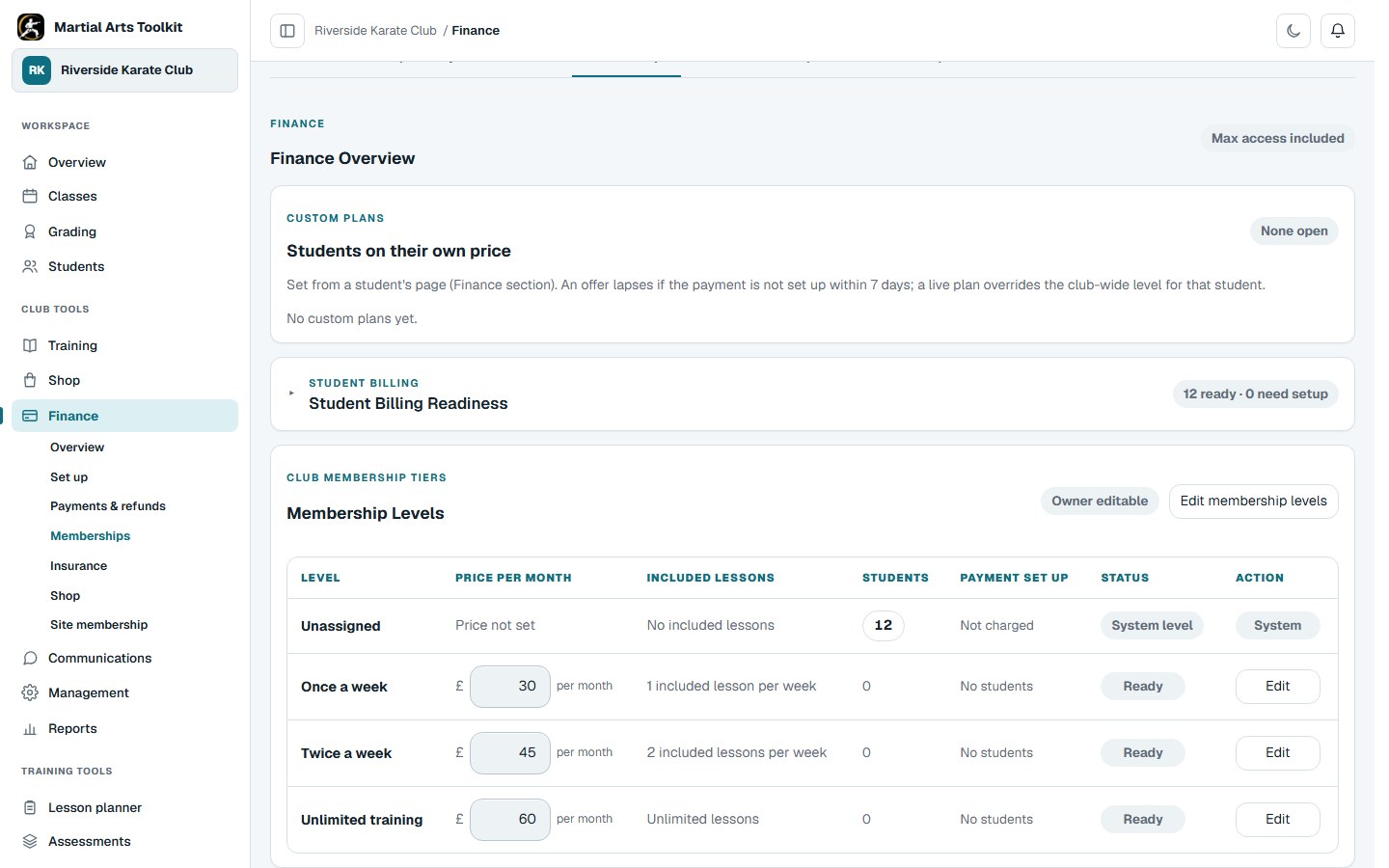
Membership administration in the application. The example contains synthetic records, not live payments.
A practical approach
Make it part of the way your club works
Define what membership includes
Agree the plan names, prices and attendance entitlements before assigning students. Make the distinction between a regular membership, a class fee and a grading fee clear to staff and families.
Complete payment setup
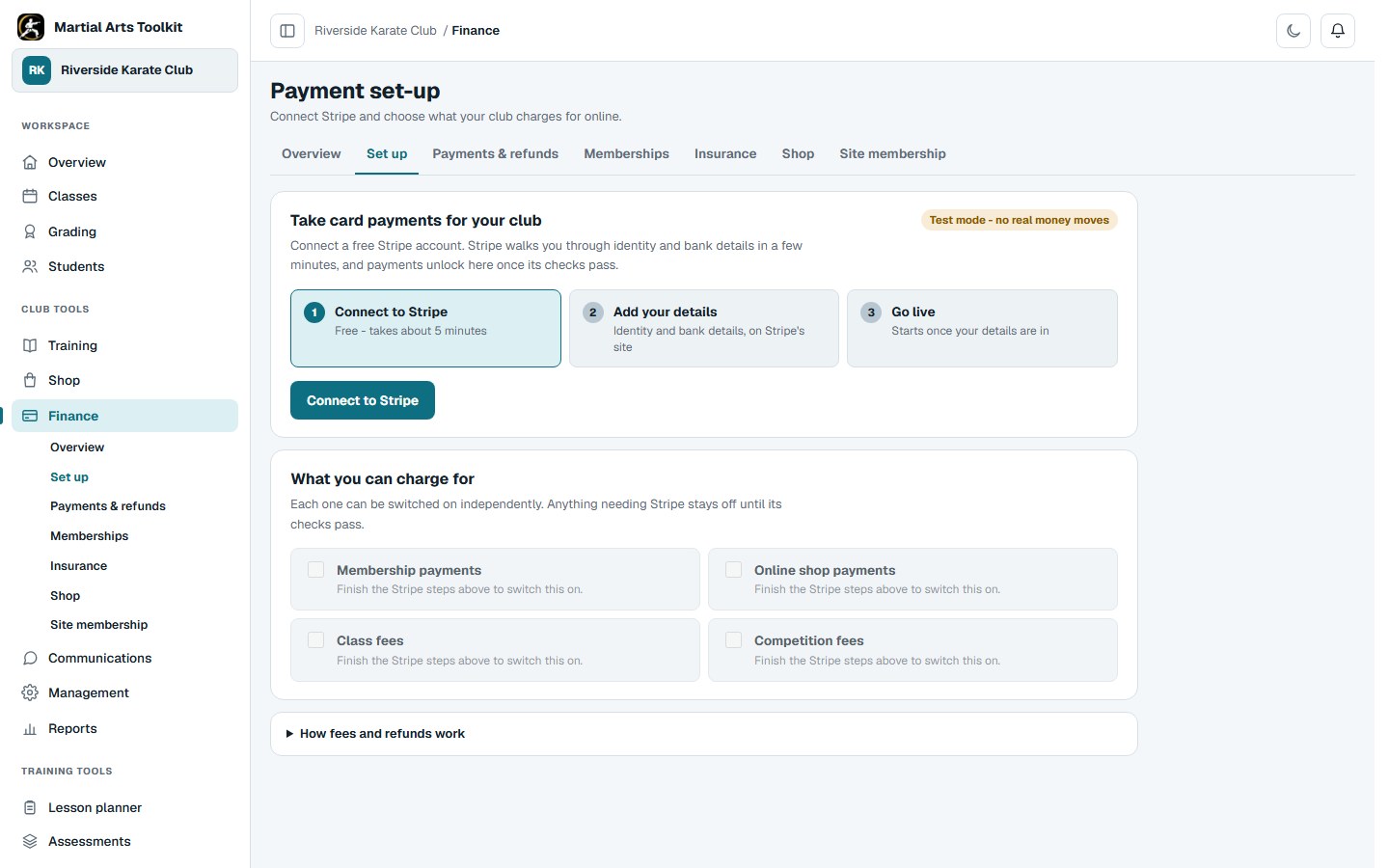
Use the club's Stripe setup flow and complete any required account information before expecting online collection to work. Check the currency and account details carefully, and try the full student payment journey in an appropriate test setup.
Review exceptions consistently
Check the recorded payment status and the student's membership before contacting them. Deal with failed payments, pauses, cancellations and refunds through the relevant workflow; do not assume that every missed payment has been recovered automatically.
Worked example
Know which cost you are looking at
Online club payments settle to the club's own Stripe account. A 1% Toolkit platform fee is collected automatically, alongside Stripe's processing charges. On a £100 club payment, the platform fee is £1; Stripe's applicable fees are additional. Check the current pricing pages and your account before going live.
| Cost | What it covers | Where to check |
|---|---|---|
| Toolkit plan | Access to the club-management features and limits in your chosen plan | Martial Arts Toolkit pricing |
| Toolkit platform fee | 1% per online club payment; Toolkit plan payments themselves carry no platform transaction fee | Club payment setup and Toolkit pricing |
| Stripe processing | Processing the payment; the rate can vary by payment method and card | Stripe's current pricing and your account agreement |
| Other applicable charges | Any additional payment, billing, dispute or currency-conversion charges | The selected service and payment setup before going live |
The connected workflow
Connect the club's payment account
Complete the Stripe connection and account checks, then choose which supported payments to enable. This demonstration uses test mode.
Keep the context
Resolve the reason before chasing the payment
A family may have changed plan, paused training or already paid through another agreed method. Confirm the record first, then send a clear message explaining what is outstanding and how to resolve it.
Check both the current Toolkit plan and Stripe's published charges when comparing costs. Avoid treating a headline transaction rate as the total cost of every possible payment.
Compare current Toolkit plansCheck Stripe's current UK processing fees ↗
Before you start
Questions club owners ask
Does creating a free club also make payment processing free?
No. Starting a club account and processing a payment are separate things. Check the Toolkit plan and the charges that apply to your Stripe payment method and account.
Will every failed payment be collected automatically?
Do not assume that. Review the actual payment status and any configured collection or follow-up process. Some cases require a conversation or an account correction.
Can staff see the membership alongside the student?
Membership administration and student information are part of the connected club workspace, subject to staff permissions.
Try it with your own club
Less time on administration.
More time to teach.
Create your club free today and explore the workflow. Compare plans as your club grows.