Inside the toolkit
See it in practice
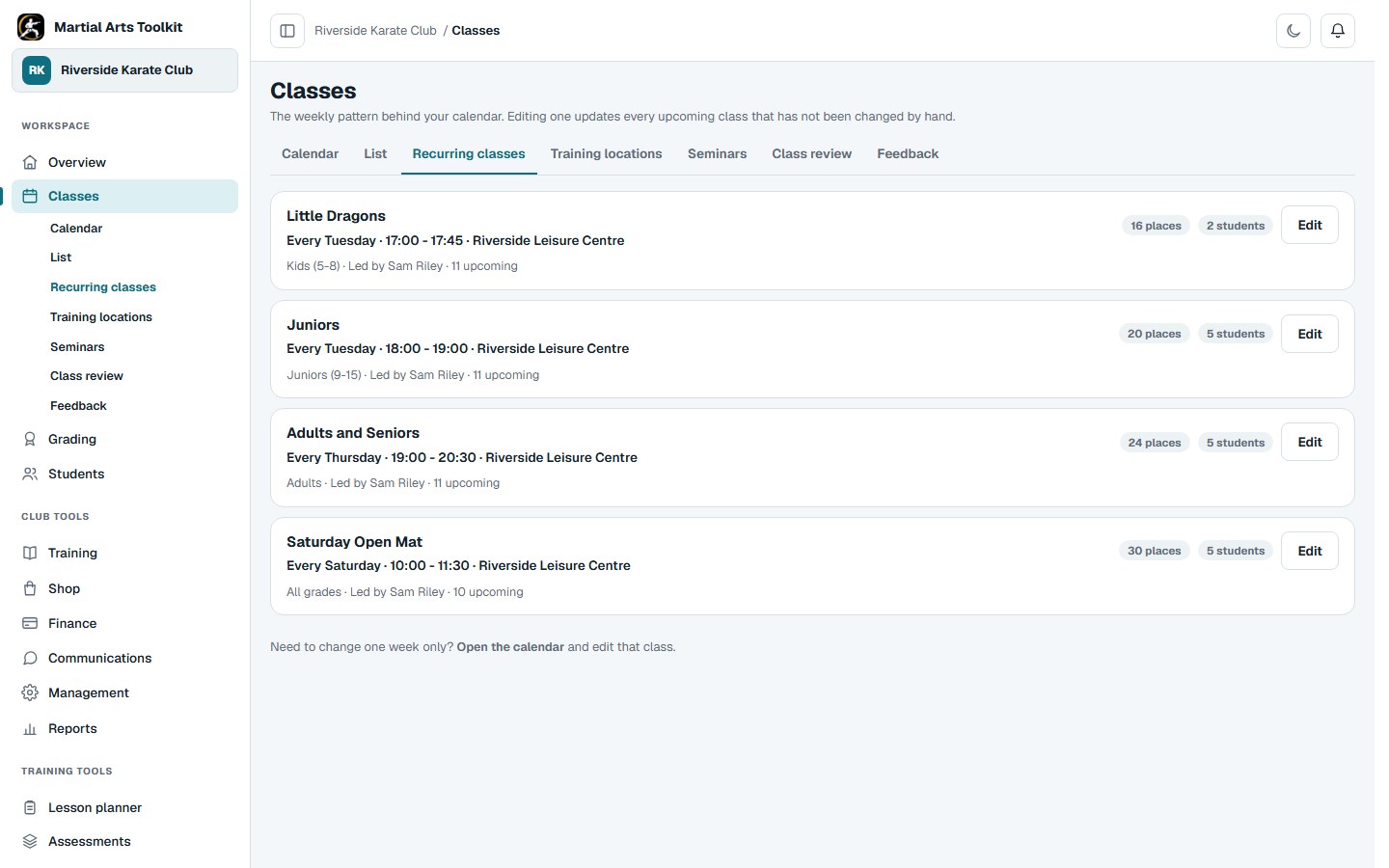
A real recurring-class view using a synthetic club timetable.
A practical approach
Make it part of the way your club works
Build the regular timetable
Choose the training location, day, start and finish time, instructor and capacity. Give each class a name that is useful to students and staff, and assign the students who normally attend.
Treat exceptions deliberately
A bank-holiday cancellation, visiting instructor or one-off workshop does not always mean the whole recurring class should change. Check whether you are editing the regular pattern or a single session before saving.
Connect the teaching day
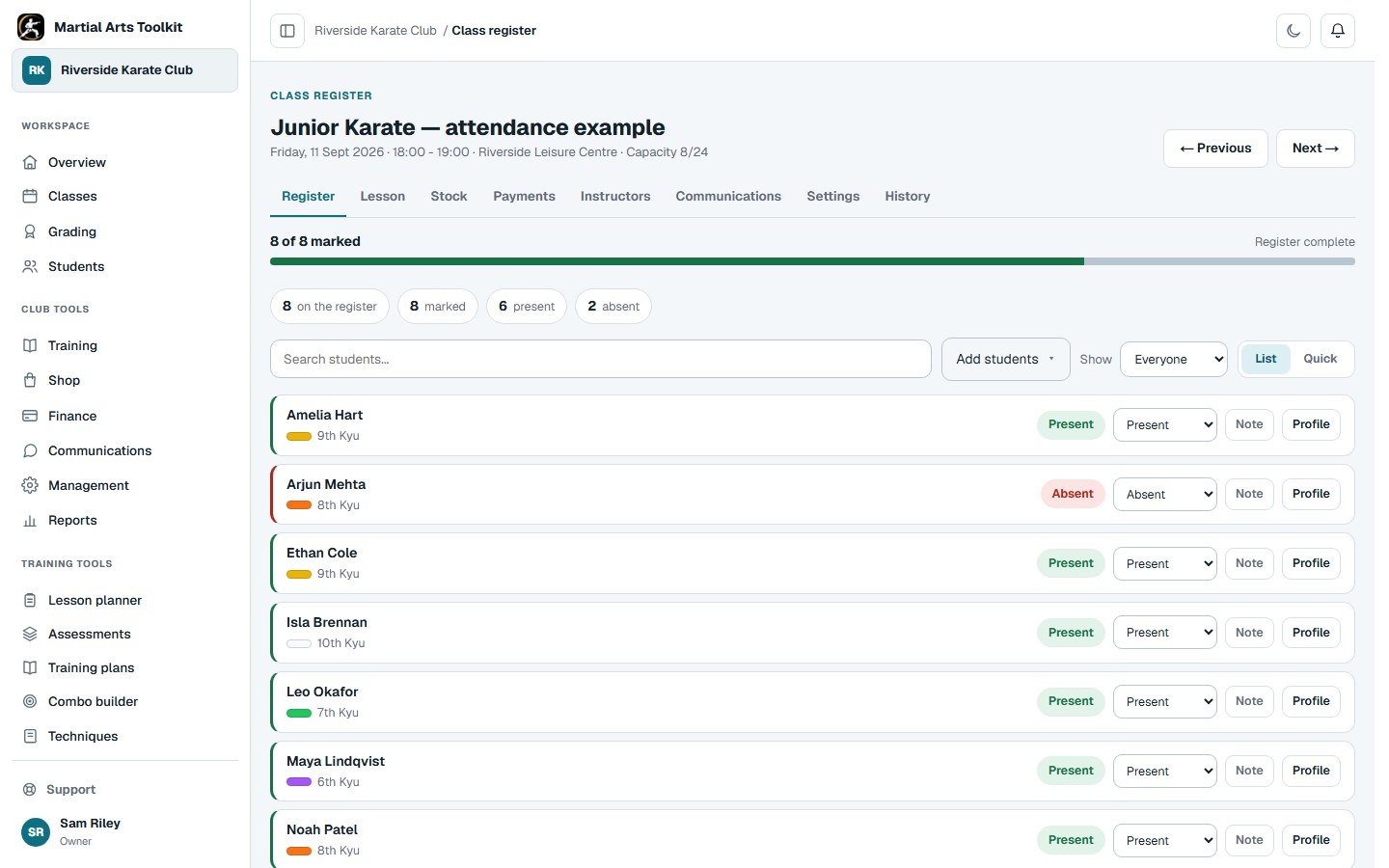
Open the individual session to work with the register and any assigned lesson plan. Keep class communication and attendance connected to the same session rather than maintaining another parallel list.
Worked example
Change the right part of the timetable
The scope of a change matters as much as the new time or location.
| Situation | What to review | Check afterwards |
|---|---|---|
| A regular junior class moves permanently | The recurring class settings | Future sessions and student information. |
| One session needs a different instructor | That individual session | The correct instructor and lesson are attached. |
| An additional grading workshop is arranged | A one-off session | Date, location, attendance rules and communication. |
| A student changes their usual class | The student's class assignments | The expected register reflects the change. |
The connected workflow
Open an individual class session
Each session has its own date, register and tools for its lesson, instructors, communications and settings.
Keep the context
Make the timetable understandable outside the office
Use recognisable class names and clear location details. Staff should be able to identify the right session without remembering an internal spreadsheet code, and families should be able to tell which class applies to them.
Scheduling and attendance are related but different jobs. Get the regular structure right first, then use the session register to record what actually happened.
Before you start
Questions club owners ask
Can I add a one-off class?
Yes. One-off sessions sit alongside recurring classes, so an additional workshop does not require a permanent change to the regular timetable.
Can we manage more than one training location?
Training locations are part of the club's class-management workflow. Assign the correct location when setting up a class and review any plan limits relevant to your club.
Will scheduling a class mark everyone present?
No. The timetable and expected students prepare the session; attendance records what actually happened.
Try it with your own club
Less time on administration.
More time to teach.
Create your club free today and explore the workflow. Compare plans as your club grows.