Inside the toolkit
See it in practice
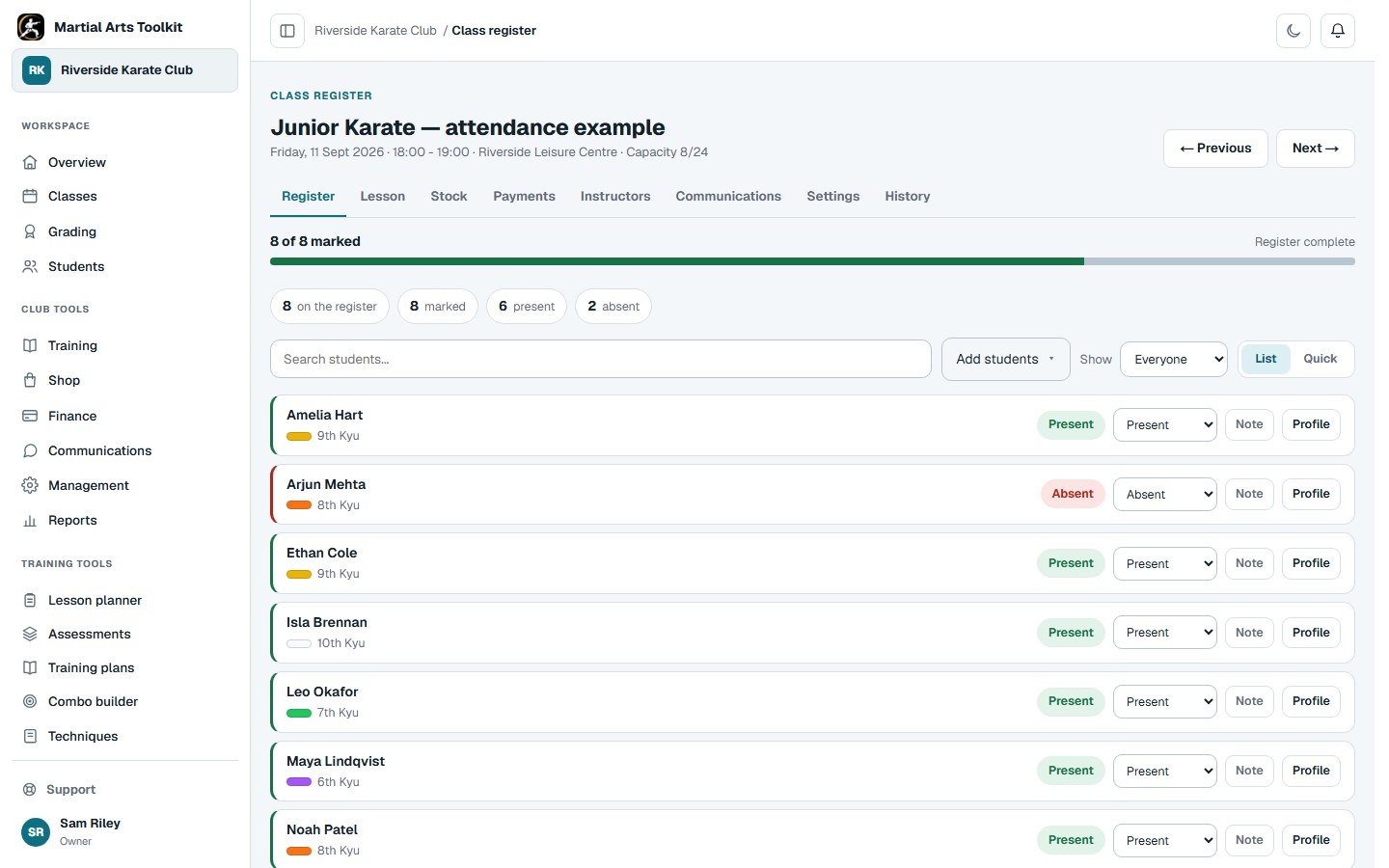
The session register is part of the same club workspace as classes and student records.
A practical approach
Make it part of the way your club works
Start with the right session
Check the date, time and training location before opening the register. Recurring classes reduce the preparation work, but a cancelled session or a one-off timetable change still needs to be reflected in the schedule.
Mark attendance as students arrive
Use the expected class list as your starting point. Check unexpected attendees and the correct student record rather than creating a duplicate because a name is missing. Give the instructor taking the register the appropriate access.
Review the pattern afterwards
Look at recent attendance in the context of the student's usual class schedule. Compare expected opportunities with attended sessions, then follow up where the change needs an explanation.
Worked example
A weekly register routine that stays manageable
A small club can use the same repeatable process even when different instructors take different classes.
| When | Check | Why it helps |
|---|---|---|
| Before class | Correct date, location and expected students | Avoid marking the wrong session. |
| During arrival | Record attendance against the existing student | Keep the history together. |
| After class | Check omissions and unexpected attendees | Reduce corrections later. |
| Weekly | Review changes from each student's normal pattern | Notice gaps before they become easy to overlook. |
The connected workflow
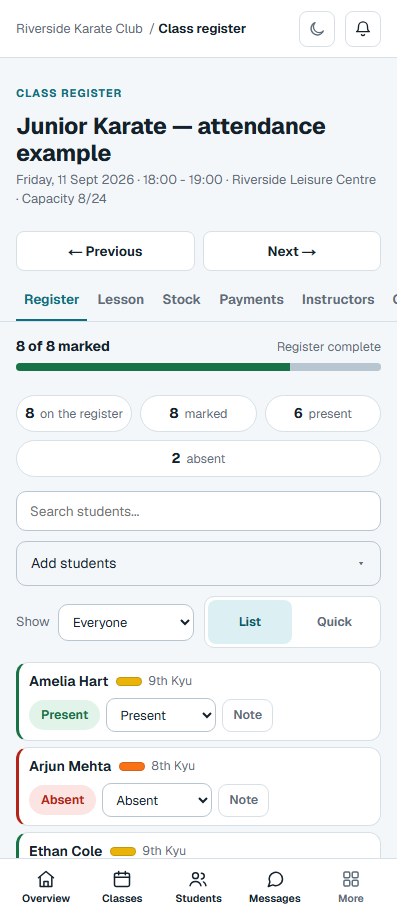
Take the register on your phone
The same session on a phone: mark attendance as students arrive.
The connected workflow
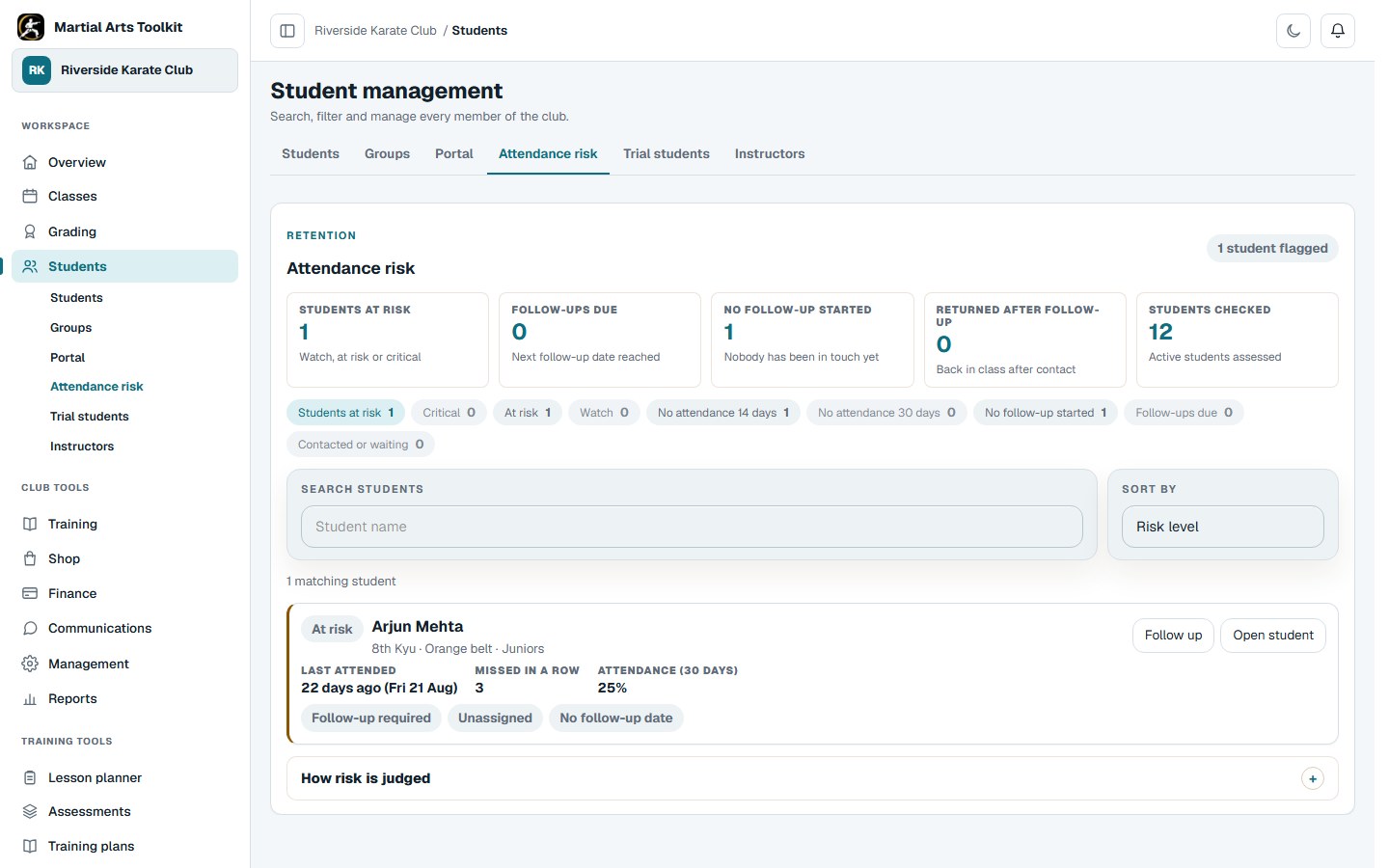
Return to the attendance history
Review missed sessions and decide whether a follow-up would help.
Keep the context
Compare like with like
A student who usually trains once a week should not be judged against someone attending three sessions. Holidays, exams, illness and cancelled classes also change the number of opportunities to train.
If you need a paper backup, keep it simple and transfer it promptly. Our free register template gives you a printable or editable starting point; the digital register removes the ongoing copying step.
Before you start
Questions club owners ask
Can instructors use the register on a phone?
Yes. The class register is available through the web application on mobile as well as larger screens. Open the intended session before the class starts.
Does a missed session mean a student is leaving?
No. Attendance is a reason to check in, not proof of an intention to leave. Ask a considerate question and record the useful context.
Can I keep a printable register as a backup?
Yes. Download the free attendance template linked below and keep any paper copy appropriately controlled.
Try it with your own club
Less time on administration.
More time to teach.
Create your club free today and explore the workflow. Compare plans as your club grows.